What you can do
- Update store name and address.
- Configure tax type, tax rate, currency, symbol, and timezone.
- Add, edit, remove, reorder, or reset cash denominations.
- Save or discard each settings section independently.
Find the exact task
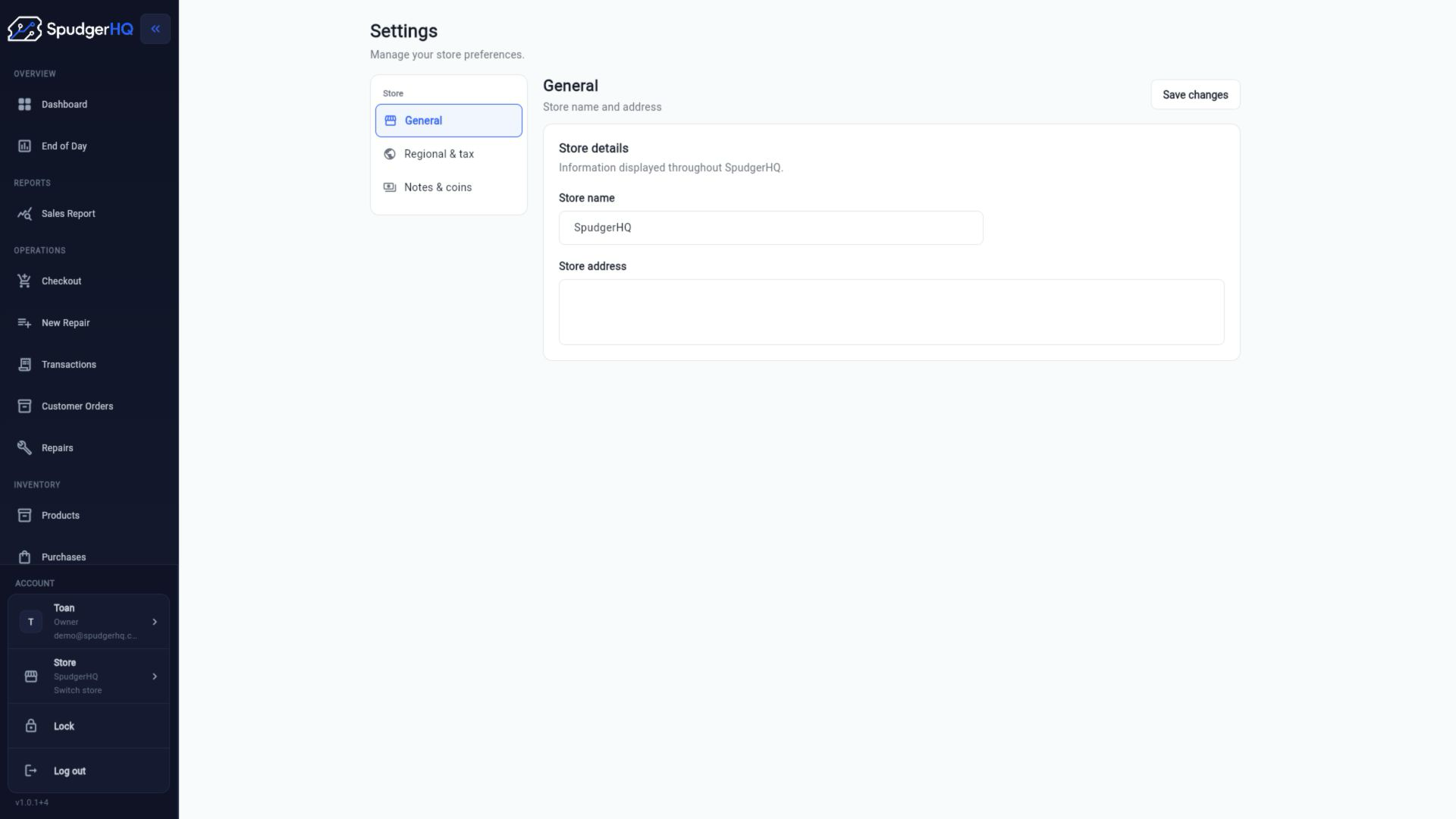
How do I change the store name or address?
Open Settings → General, edit the store identity fields, and save the General section.
- Open Settings.
- Choose General.
- Edit the store name or address and save.
How do I configure tax settings?
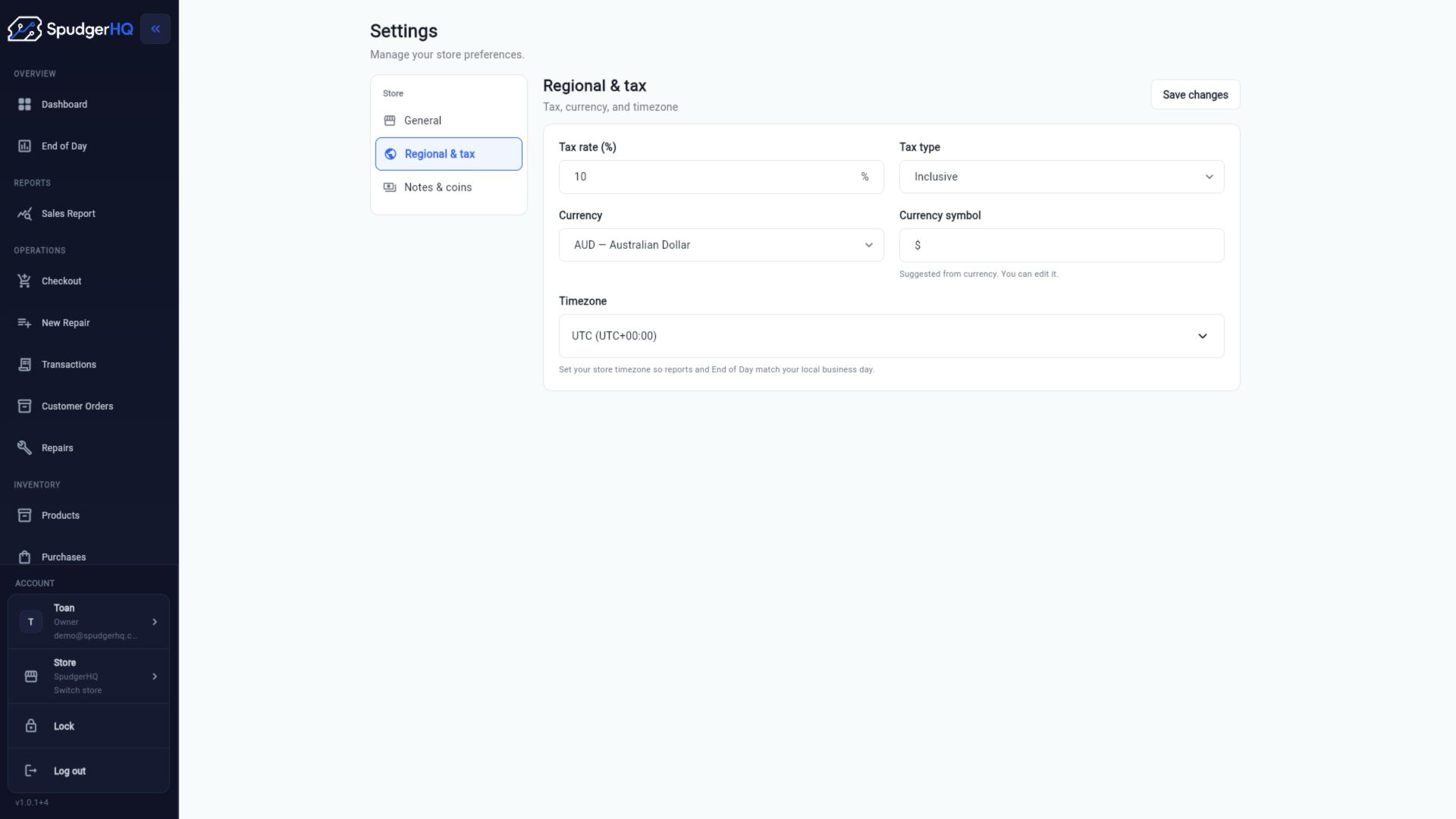
Open Settings → Regional & tax, choose the tax type and rate, and save the regional settings.
- Open Regional & tax.
- Enter the tax rate and choose the tax type.
- Save the section.
How do I change the currency?
Open Regional & tax, choose the store currency, review the displayed symbol, and save the section.
- Open Settings → Regional & tax.
- Choose the currency.
- Review the symbol and save.
How do I change the currency symbol?
Edit the displayed currency symbol in Regional & tax and save the regional settings.
How do I set the store timezone?
Open Regional & tax, search for the valid store timezone, select it, and save.
- Open Regional & tax.
- Search or browse the timezone options.
- Select the store timezone and save.
How does the timezone affect reports and end of day?
The saved timezone determines the local dates used by Dashboard, Sales Reports, and End of Day.
How do I configure cash denominations?
Open Notes & coins, add or edit denomination rows, set each amount, label, and Note/Coin type, then save.
- Open Settings → Notes & coins.
- Add or edit rows and set amount, label, and type.
- Reorder rows if needed and save.
How do I reset notes and coins to currency defaults?
Use Reset to Currency Defaults from Notes & coins, review the replacement rows, and save when ready.
How do I discard unsaved settings changes?
Use Discard in the current settings section when you want to remove its unsaved draft and restore the last saved values.
- Open the section with unsaved changes.
- Choose Discard.
- Confirm if prompted and continue with the saved values.
Are QA templates and receipt settings available in Settings?
Needs verificationDo not treat them as active standalone settings features yet. Current code contains related surfaces, but the reachable settings destination does not expose them as confirmed routes.
Keep this context in mind
- General, Regional & tax, and Notes & coins use separate dirty states and save actions.
- Store timezone affects dashboard dates, sales reports, and End-of-Day boundaries.
- QA template management and receipt settings are represented in code but are not exposed as active settings destinations; verify before publishing them as features.
Talk to the SpudgerHQ team.
Tell us what you expected to see and which workflow you were trying to complete.