
What you can do
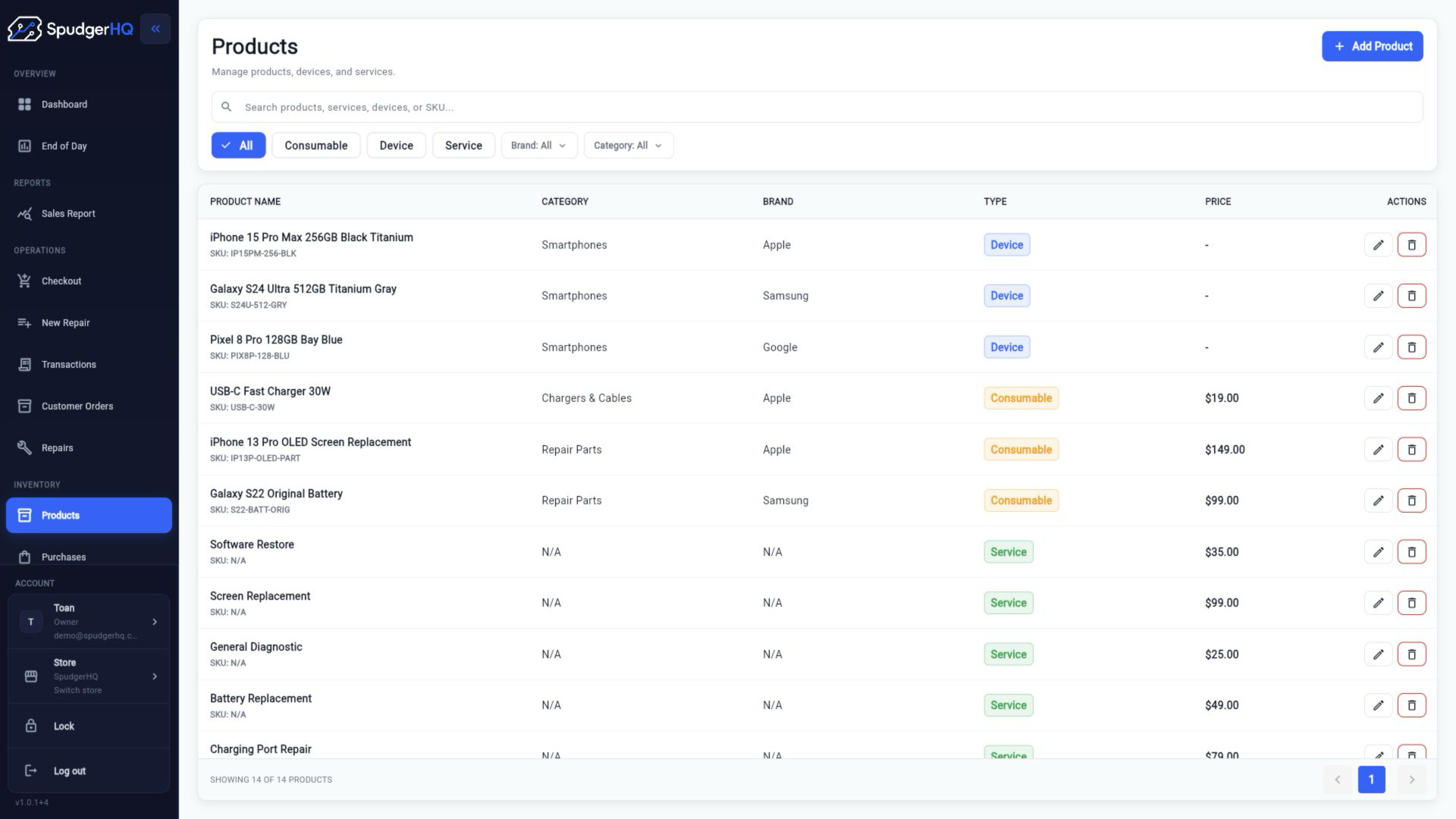
- Create consumable, device, and service products.
- Maintain product details, brands, categories, and stock quantities.
- Adjust stock and work with serialized device assets inside product and purchasing workflows.
- Search an asset by IMEI or serial number when the asset data is available.
Find the exact task
How do I add a product?
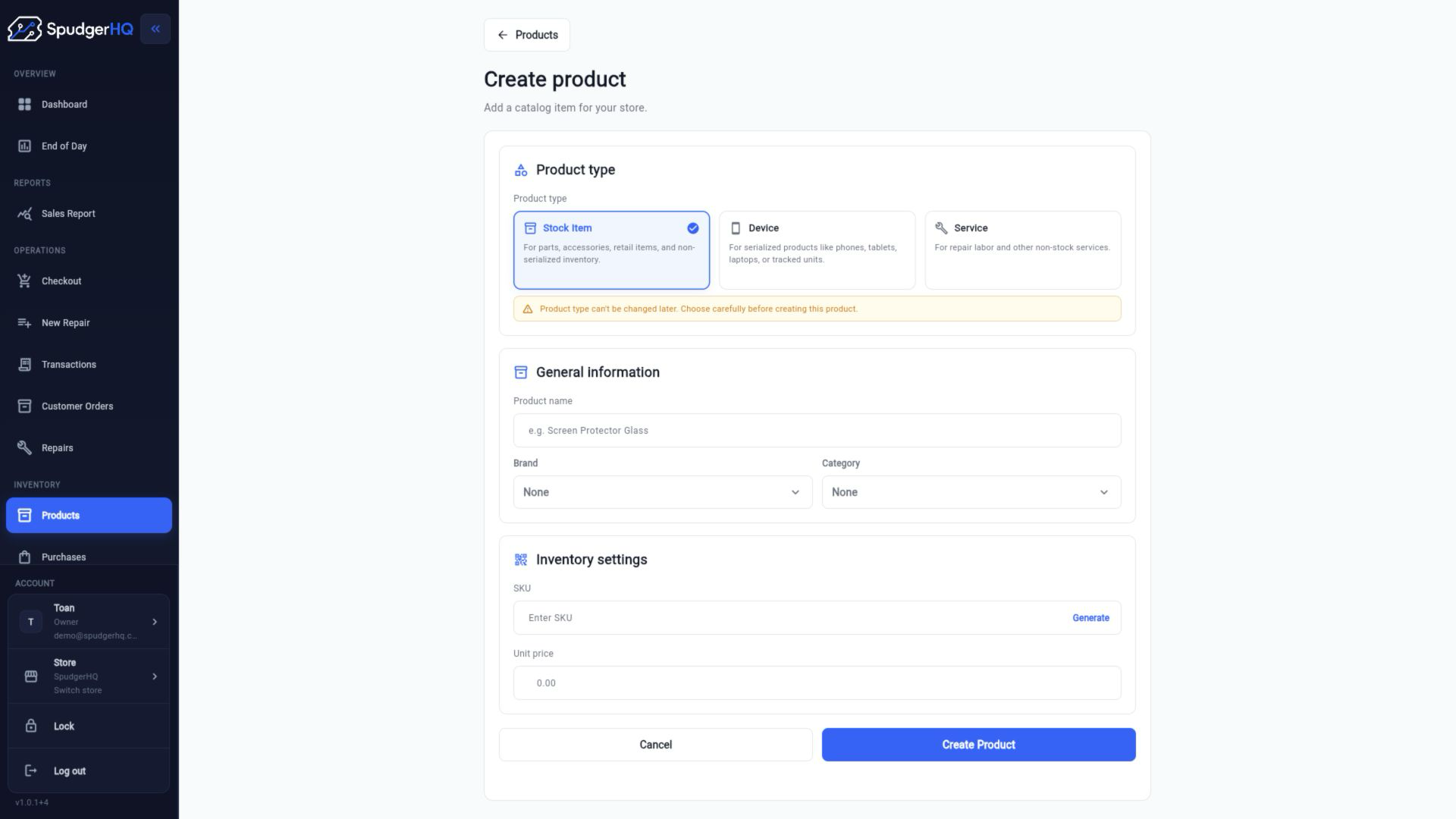
Open Products, choose to create a product, select the product type, and enter the product details before saving.
- Open Products → Create.
- Choose Consumable, Device, or Service.
- Complete the required fields and save the product.
What is the difference between a consumable, device, and service product?
Consumables are stocked parts or supplies, devices are physical items that can have serialized assets, and services represent work that does not require stock.
How do I edit or delete a product?
Needs verificationOpen the product detail view to edit its available fields. Delete or archive actions depend on the product’s current usage and the permissions enforced by the app.
- Open Products.
- Select the product.
- Choose Edit, make the change, and save. Review the available destructive action only when the product is eligible.
How do I adjust stock?
Open the product or inventory action that exposes stock adjustment, enter the new quantity or adjustment reason, and save the change.
- Find the product in Products.
- Open its stock or adjustment action.
- Enter the adjustment and save it with the reason requested by the workflow.
How do I manage brands?
Open Brands from the inventory area to add, edit, or remove the brand values available to products.
- Open Brands.
- Create or select a brand.
- Save the change and use the brand on the relevant product.
How do I manage categories?
Open Categories to maintain the product categories used to organize the inventory list.
- Open Categories.
- Add or select a category.
- Save the change and assign it from the product workflow.
How do I add a serialized device asset?
Active · embedded workflowCreate or receive a device product, then add the device’s exact identifier through the product or purchasing workflow where assets are embedded.
- Create or open the device product.
- Use the asset section exposed by the product or purchase flow.
- Enter and verify the IMEI or serial number before saving.
How do I search for an asset by IMEI or serial number?
Active · embedded workflowUse the product, purchase, order, or repair search surface that exposes serialized assets and enter the exact IMEI or serial value.
- Open the workflow where the device asset is used.
- Search with the IMEI or serial number.
- Open the matching asset and confirm its product and availability context.
Why are service products excluded from stock?
A service product represents labor or a service charge, so it does not consume a physical inventory quantity.
Why does a device require an exact serialized asset?
Serialized inventory identifies a specific physical device. Selecting the exact asset prevents the sale or order from being attached to an unrelated device.
Keep this context in mind
- Service products are not stocked because they represent labor or a service rather than a physical item.
- Serialized devices require the exact asset when a sale or order is tied to a specific device.
- The standalone asset-list route is not exposed by the current route registry; treat asset management as embedded until verified.
Talk to the SpudgerHQ team.
Tell us what you expected to see and which workflow you were trying to complete.