
Technician handoff
Give technicians clearer notes, approved work, parts or services, and next steps.
SpudgerHQ helps small phone repair shops connect each stage—from customer check-in and intake through technician handoffs, waits for parts or approval, QA, checkout, and pickup—so staff can see what happens next.
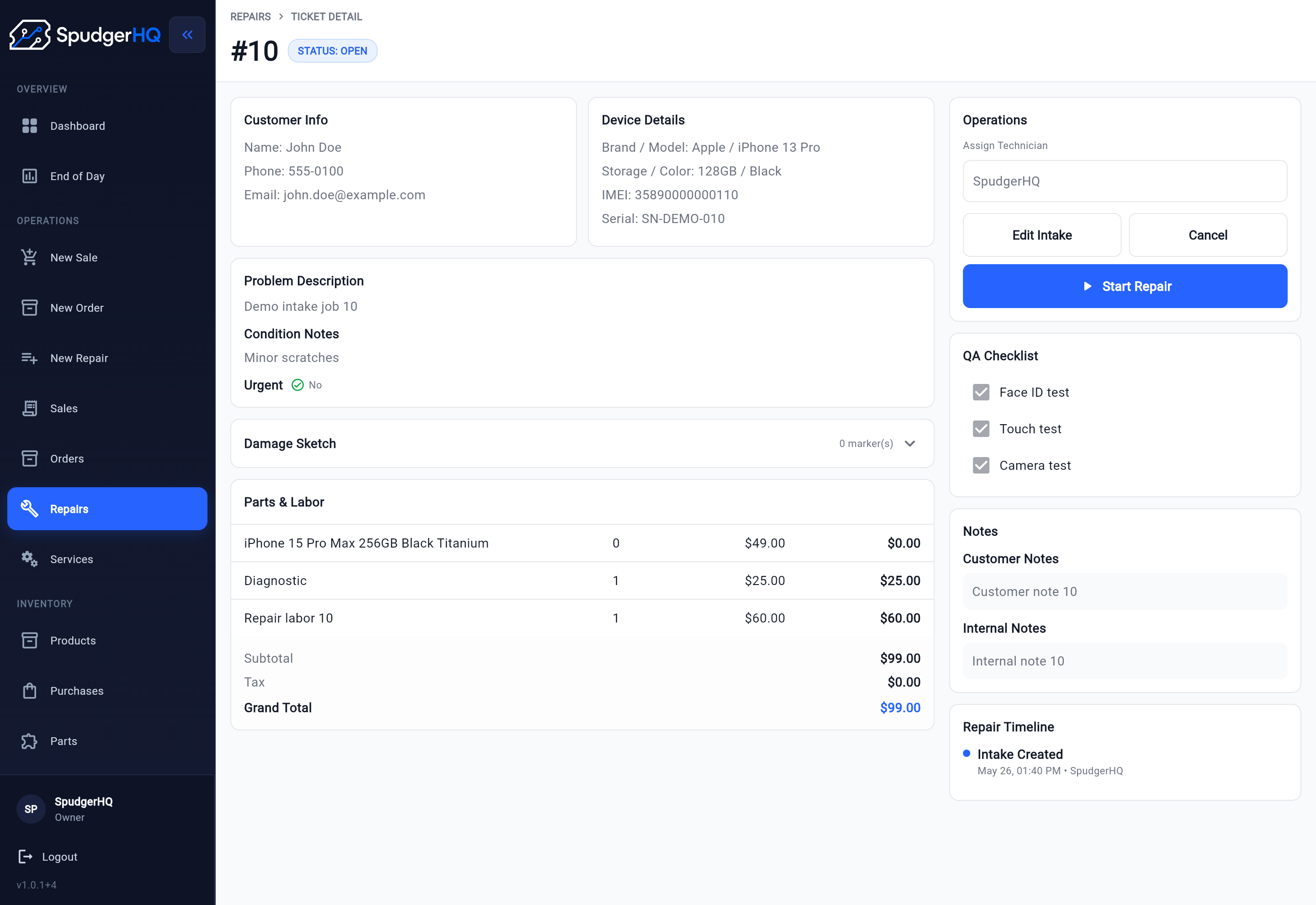
Small phone repair shops need a clear process as jobs move from intake to technician handoff, active work, waits for parts or approval, QA, checkout, and pickup. When steps and handoffs are scattered, it is harder to see what should happen next.
A cleaner repair workflow gives the front desk and technicians a shared view of what has been checked in, what needs work, what is waiting, what is ready for QA, and what can be picked up.
SpudgerHQ is built around that daily repair flow, not around generic project management or retail-only workflows. Shops can start with repair intake software and carry that context into the ticket and closeout process.
See how repair shop POS differs from retail checkout when deciding whether checkout alone covers the full job.
A repair workflow should make each job easier to follow from counter intake to pickup.
Capture the customer, device, issue, and intake details before the job starts.
Repair intake softwareTurn intake information into a repair ticket that the team can follow.
Repair ticket softwareGive technicians clearer notes, approved work, parts or services, and next steps.
Track where each repair stands so the front desk can answer customer questions with less guesswork.
Confirm the work is finished, checked, and ready before pickup.
Keep payment, receipt, and pickup details connected to the repair workflow.
Phone repair shop checkout workflowA connected repair workflow shows where each job started, what needs to happen next, and when it is ready to close out.
Staff start with the device issue at the front counter.
Customer, device, issue, and condition notes are recorded.
Parts or services are connected to the repair ticket when needed.
The technician reviews the job, records progress, and keeps parts-related waits visible.
Staff complete the final check before pickup.
Payment, receipt, and pickup details stay connected to the job.
SpudgerHQ is designed for solo owners and small single-store repair teams that need a repair workflow they can understand quickly.
Small shops often move between check-in, the bench, customer updates, QA, checkout, and pickup without much extra staff. SpudgerHQ helps keep the core job flow clear without forcing the shop into a heavy enterprise-style system.
For broader shop context beyond this repair workflow, the phone repair shop software page explains how intake, tickets, customer records, and supporting shop activity fit together.
SpudgerHQ keeps the repair workflow connected by helping staff move from intake to ticket creation, progress updates, parts or service tracking, QA, checkout, and pickup without splitting the job across paper notes, spreadsheets, and disconnected tools.
The workflow can include fast and full intake, repair tickets, status tracking, parts and services, customer records, checkout and receipts, and dashboard visibility as supporting pieces around the repair job.
If pricing is the next decision after reviewing the workflow fit, visit the pricing page.
Use these guides to tighten the details around repair status tracking and technician handoff.
A practical guide to using clear repair statuses from intake and diagnosis to parts, QA, pickup, and completion.
Improve repair status trackingA practical checklist for passing customer issues, condition notes, approved work, parts, testing notes, and QA expectations from intake to the repair bench.
Improve technician handoffA practical guide to moving repair tickets through ownership, technician updates, QA, pickup, and closeout.
Improve repair ticket workflowUse QA checks before pickup so repairs leave the bench with fewer missed details.
Improve QA before pickupReview repairs, pickups, payments, cash movements, exceptions, and tomorrow's priorities before closing.
Improve the daily closeSpudgerHQ helps small phone repair shops keep intake, tickets, technician updates, QA, and pickup connected in one repair-specific system.